Best Online Learning Platforms 2026: For Students, Programmers, Teachers, Businesses


On this page
Before comparing catalogues and prices, one number is worth sitting with.
A Harvard and MIT study of six years of edX data found that 3.13% of participants completed their courses in 2017-18, and that the rate had barely moved despite years of investment in course design. Among learners who had paid for a verified certificate, though, 46% finished.
Same platform. Same courses. A fifteenfold difference in whether anyone got to the end.
That gap is the most useful thing in the research, because it says the platform is not the variable most people think it is. Picking Coursera over Udemy will not make you finish. Paying, committing, and having a way to actually revise the material will.
So this comparison is organised around that. What each platform costs, what it is genuinely good at, and how easy it is to get the lecture content back out in a form you can study from later.
Quick picks
University and company-backed certificates. Coursera Plus runs about $59 a month or $399 a year.
Buy a single course outright, often $10 to $20 in a sale. No subscription to forget about.
Live cohorts with real deadlines. Costs hundreds, not tens, which is exactly why people turn up.
Genuinely free, no upsell, strongest on maths and school-level fundamentals.
What Predicts Finishing
The research points at three things, and the platform’s brand is not one of them.
Money changes behaviour. The 3.13% versus 46% split is the clearest signal in the data. Paying for a certificate creates a commitment that free enrolment does not, which is why the cheapest option is often the worst value. A free course you abandon costs more time than a $49 one you finish.
Length is the other big lever. Completion collapses on long courses and holds up on short ones. If you are choosing between a 40-hour specialisation and a 6-hour focused course on the same topic, the shorter one has a much better chance of ending with you knowing the thing.
The third factor gets almost no attention: what happens between watching and remembering. Course video is a bad reference format. You cannot skim it, search it, or quote it into your own notes without scrubbing a timeline. That is the part I will come back to, because it is the part every platform handles badly.
How I would use this
Pick the shortest course that covers what you need, pay for it even when a free version exists, and set up a way to search the lectures afterwards. Those three moves matter more than which logo is on the certificate.
At A Glance
Prices move, especially around Udemy’s near-permanent sales, so treat these as the current shape rather than a quote.
| Platform | Cost | Strongest at | Weak spot |
|---|---|---|---|
| Coursera | About $59/mo, $399/yr | Employer-recognised certificates | Long programmes people quit |
| Udemy | Around $10 to $20 per course | Narrow practical skills, kept for life | Quality varies hard by instructor |
| Maven | Hundreds per cohort | Live deadlines and a group | Costly, and fixed session times |
| DataCamp | From about $13/mo annually | Data, SQL and AI in the browser | Narrow outside analytics |
| Pluralsight | From about $29/mo | Engineering paths with assessments | Little use outside tech |
| Scrimba | Free tier, then annual | Editable code inside the lesson | Mostly front-end only |
| edX | About $49 to $180 per credential | Real university coursework | Free audit is where people drop out |
| Khan Academy | Free | School maths and science | No professional credential |
The Platforms, Ranked
Ordered by how well each one fits a specific job, not by size. Two of these did not exist in a form worth recommending when this comparison was first written.
Pricing shifts often, especially Udemy sale prices and region-specific plans. Figures here were checked against each platform's own pricing page in August 2026.
1. Coursera
Recognised credentials from universities and companies
Coursera partners with universities and employers, so the certificate at the end carries a name people recognise. Coursera Plus runs at about $59 a month or $399 a year for catalogue access, and individual specialisations can be bought separately. You can audit most courses free, which gets you the lectures without the graded work or the certificate.
Pros
- -Certificates carry real weight with employers
- -Audit mode lets you check quality before paying
- -Degree and MasterTrack routes exist
- -Strong on business, data and public health
Cons
- -Long specialisations have poor completion
- -Subscription lapses while you are still mid-course
- -Audit mode hides the assignments that make it stick
Best For
Someone who needs a credential a hiring manager will recognise, and who will actually pay for it.
2. Udemy
One narrow skill, bought outright and kept
Udemy sells individual courses rather than a subscription, usually $10 to $20 during one of its near-permanent sales. You keep access forever, which suits material you will return to. Udemy's individual course format allows you to start at your own pace, though there are also plenty of Udemy alternatives that cater to different learning preferences. The trade is that anyone can publish, so the gap between the best and worst course on the same topic is enormous. Read recent reviews, not the total rating.
Pros
- -Cheap enough to buy on impulse and still finish
- -Lifetime access with no lapsing subscription
- -Enormous catalogue of narrow, practical topics
- -Frequent sales make full price almost irrelevant
Cons
- -Quality varies hard between instructors
- -Certificates carry little weight
- -Course content can go stale without being updated
Best For
Learning one specific tool or framework this week, without committing to a subscription.
3. Maven
Live cohorts with deadlines and a group
Maven runs cohort-based courses taught live by practitioners, with a fixed start date, a group moving through together, and deadlines. That structure is the whole product, and it is aimed squarely at the completion problem: courses cost hundreds rather than tens, and the company positions its completion rates well above the self-paced average. Treat that figure as vendor positioning rather than independent research, but the mechanism is sound and matches what the edX data shows about commitment.
Pros
- -Deadlines and a group make finishing far likelier
- -Taught by working practitioners, not career instructors
- -Direct access to the instructor during the run
- -Fixed end date instead of an open-ended backlog
Cons
- -Expensive next to a marketplace course
- -You have to be free at the scheduled times
- -Completion claims are the vendor's own
Best For
A professional who has abandoned three self-paced courses and needs the structure of a real classroom.
4. DataCamp
Data, SQL and AI skills in the browser
DataCamp teaches Python, R, SQL and machine learning through short exercises you type directly in the browser, so there is no environment to set up before you write your first line. Its pricing page currently shows plans from around $13 a month on annual billing, with team seats at $28. The short-exercise format is the interesting part here, because completion holds up far better on small chunks than on forty-hour courses.
Pros
- -No local setup, everything runs in the browser
- -Short exercises suit stop-start study
- -Covers SQL and LLM workflows, not only Python
- -Skill tracks give a clear order to work through
Cons
- -Guided exercises can feel easier than real work
- -Narrow outside data and analytics
- -You still need your own projects to prove the skill
Best For
Analysts and career switchers building data skills in short sessions around a job.
5. Pluralsight
Engineering paths that tell you where to start
Pluralsight is built for working developers, and its skill assessments are the reason to pick it over a marketplace. Instead of guessing which course level you need, you take a short adaptive test and it places you. Plans start around $29 a month for the standard tier. Outside software and cloud it is thin, so it is a specialist purchase rather than a general one.
Pros
- -Skill assessments remove the guesswork on level
- -Structured paths rather than disconnected courses
- -Strong cloud, security and DevOps coverage
- -Content is kept current with platform changes
Cons
- -Little value outside technology roles
- -Pricier than buying two Udemy courses
- -Paths can be long enough to trigger the completion problem
Best For
A developer who knows the gap is real but cannot tell which rung to start on.
6. Scrimba
Screencasts you can pause and edit inside
Scrimba records its lessons as an interactive format rather than flat video. You can pause a lesson, edit the instructor's code in place, run it, and carry on, because the screencast stores the actual text rather than pixels. That solves the problem the rest of this article is about at the platform level: the content is searchable and copyable by design. It has a free tier, and the paid plan is billed annually.
Pros
- -Code in the lesson is real text, not video pixels
- -Pause and experiment without leaving the player
- -Free tier is genuinely usable
- -Well suited to front-end and JavaScript work
Cons
- -Catalogue is narrow, mostly web development
- -Pricing is shown per region and shifts
- -Not aimed at credentials or certificates
Best For
Front-end learners who want to tinker with the instructor's code rather than watch it.
7. edX
University coursework, priced per credential
edX carries the actual coursework from universities including MIT and Harvard, and it is the platform the completion research in this article was run on. Pricing is per programme rather than a flat subscription, roughly $49 to $180 for most credentials. You can audit a large share of courses free, which is how most of that 3.13% completion figure came about.
Pros
- -Genuine university material, not repackaged summaries
- -Audit access to serious coursework at no cost
- -MicroMasters routes can count toward a degree
- -Strong in computer science, engineering and sciences
Cons
- -Academic pacing is heavier than marketplace courses
- -Per-programme pricing makes browsing costs unclear
- -Free audit is exactly where completion collapses
Best For
Someone who wants real academic depth and will pay for the verified track to make themselves finish.
8. Khan Academy
Free fundamentals with no upsell
Khan Academy is a nonprofit and the whole catalogue is free, with no certificate tier waiting behind it. It is strongest on school-level maths and science, where the exercise-and-hint model works well and the progression is carefully built. For adult professional skills it is thin, and there is no credential at the end, which for some readers is the point.
Pros
- -Genuinely free with nothing held back
- -Excellent maths and science progression
- -Practice exercises with hints, not only video
- -No account upsell or subscription pressure
Cons
- -Little for professional or career skills
- -No certificate to show an employer
- -Free means the commitment effect works against you
Best For
Students filling gaps in fundamentals, and parents helping with school work.
The Video Problem
Here is the thing every platform on that list gets wrong in the same way.
You finish a 90-minute lecture. Three weeks later you need the one part where the instructor explained why a particular approach fails. You know it happened. You have no idea whether it was minute 12 or minute 74, so you scrub the timeline, overshoot, scrub back, and eventually give up and search Google instead.
The course was fine. The format is the problem. Video is a linear medium being used as a reference document, and reference documents need to be searchable.
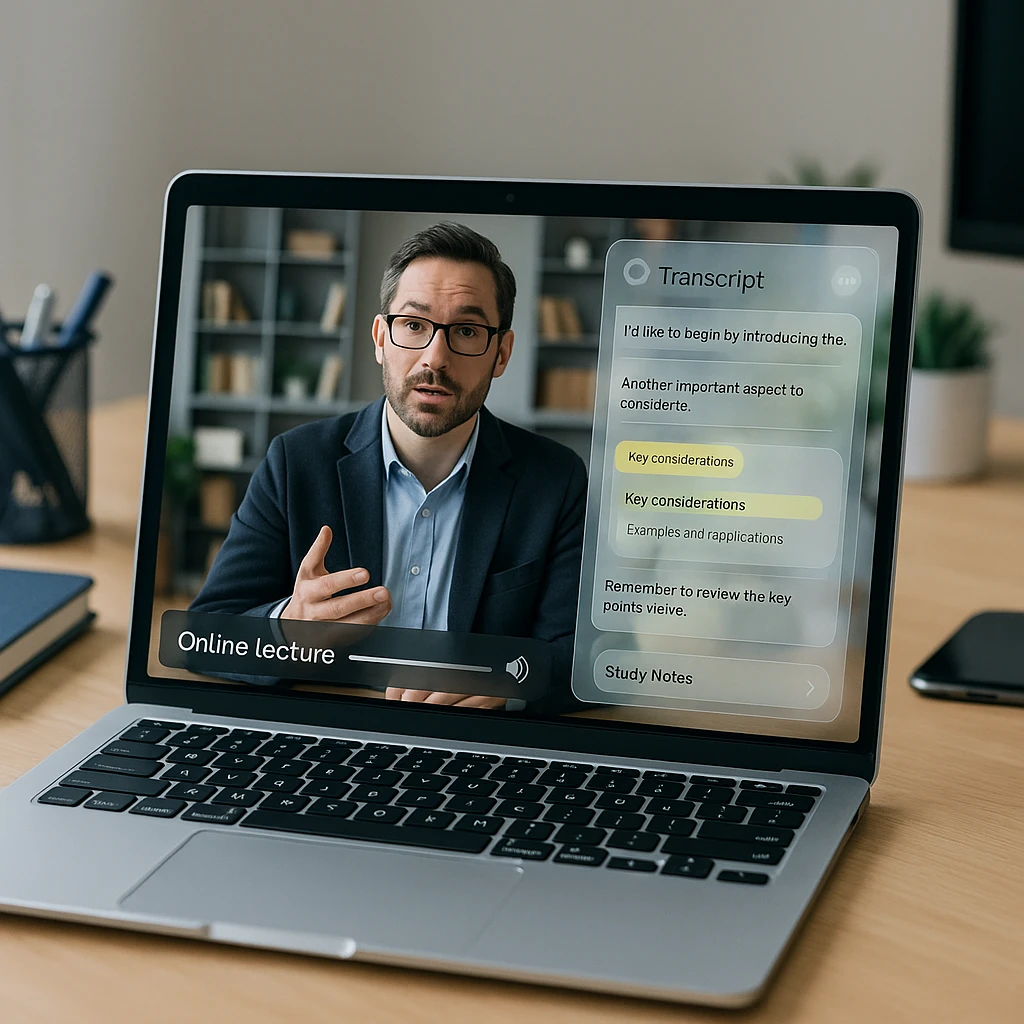
Some platforms show a transcript panel next to the player, which helps while you are watching and does nothing a month later when the course has scrolled out of your dashboard. Almost none of them let you export the text in a form you can paste into your own notes.
Getting Lectures Into Text
We build ScreenApp, so read this as how we solve it rather than a neutral survey. The workflow matters more than the tool, and you can run most of it with anything that transcribes.
The move is to stop treating the lecture as something you watch and start treating it as something you index.
Capture it once
Record the session as it plays, or upload the file if the platform lets you download. A browser-based online screen recorder handles live classes and webinars that have no download button at all.
Turn it into searchable text
A timestamped transcript makes the whole course keyword-searchable. Our lecture AI notetaker does this on recorded classes, and every line links back to the moment it was said.
Compress it into something revisable
Ninety minutes of transcript is still too much to revise from. An AI summarizer cuts it to the arguments and examples, and a course notes generator shapes that into notes rather than prose.
The reason to keep capture and transcription as separate steps is that they fail separately. A noisy room ruins the audio and leaves the slides readable. A screen share at low bitrate smears the slides while the audio stays clean. Running both gives you two shots at the same content.
If you want the mechanics rather than the argument, we wrote them up in recording lectures and converting them to text, and compared the tools in our roundup of free AI lecture note takers.
Making It Stick
Transcripts alone do not teach you anything. What they do is make the next two steps cheap enough that you actually do them.
Search beats rewatching. Once a course is text, finding the bit about error handling takes five seconds instead of ten minutes of scrubbing, so you go back to the material instead of avoiding it. That single change does more for retention than any note-taking method, because the barrier was never comprehension, it was friction.
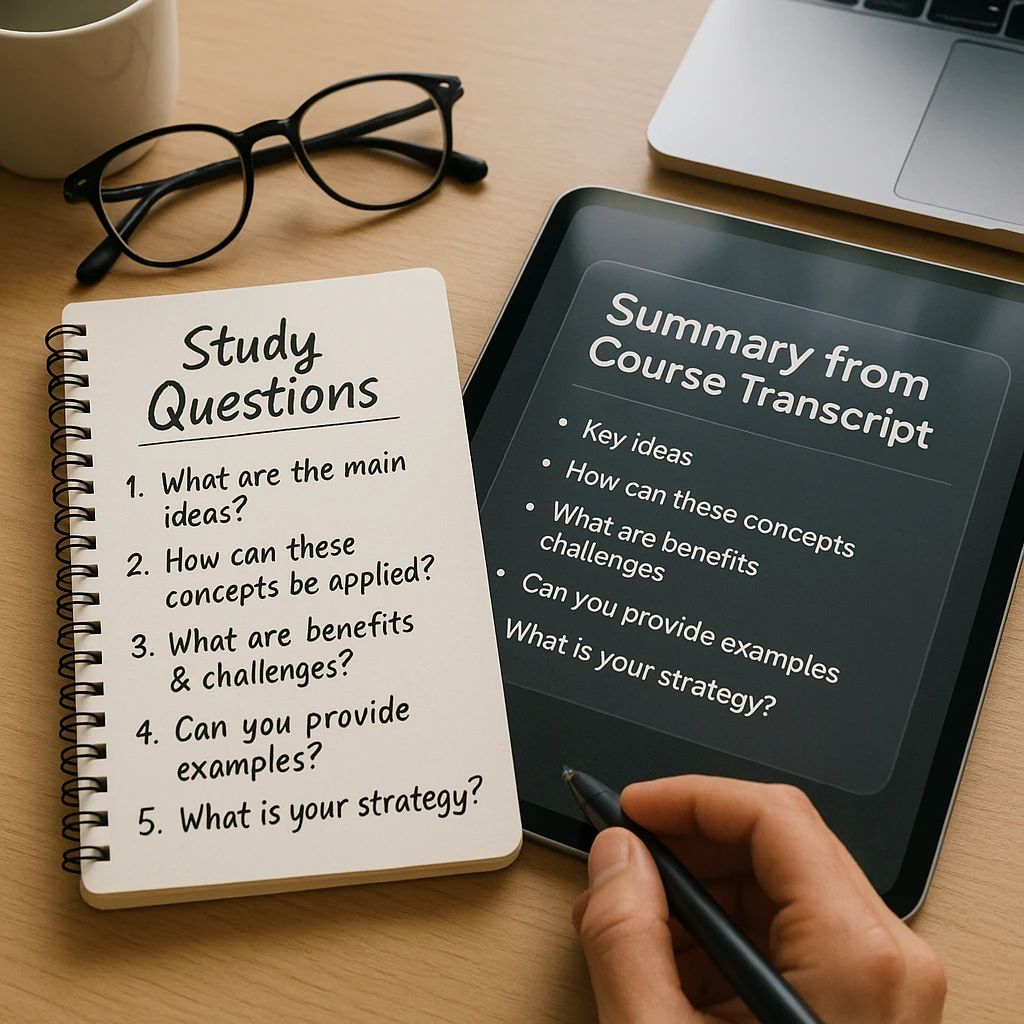
Turn the transcript into questions. Reading a summary feels productive and mostly is not. Pulling four questions out of each lecture and answering them from memory a week later is the part that works. An AI study guide maker will draft those from the transcript, and you can throw out the ones that miss.
Skip the parts you already know. Most courses have a first hour of setup you do not need. Being able to search the transcript means you can jump straight to the 20% that is new to you, which is the real argument for shorter courses made concrete.
I would not bother doing this for every course. For a $15 Udemy course on a single tool, just watch it. For anything you are paying real money for, or that you will need to reference at work six months from now, the twenty minutes of setup pays for itself the first time you need to find something. The highest-stakes end of that scale is a formal qualification like an MBA, where the cost is real and a place is competitive, so applicants often bring in specialist MBA admissions consulting before any coursework begins.
Training A Whole Team
The picture changes when you are buying for a company rather than yourself.
A McKinsey study on building workforce skills at scale found that organisations moved to remote and digital delivery far faster than planned, and that the ones who made it work rebuilt how learning was delivered rather than just moving the same courses online.
Two practical consequences.
First, the completion problem gets worse at scale, not better. Nobody finishes an assigned course they did not choose. Short, specific, and mandatory beats a broad catalogue that everyone has access to and nobody opens.
Second, most of your company’s actual knowledge is not on Coursera. It is in the onboarding call someone ran last March and the demo a senior engineer gave once. Recording those and running them through the same transcribe-and-summarise pass turns them into searchable internal training, which is usually worth more than another subscription. Our guide to screen recording for employee onboarding covers how that gets set up.
If you are on the other side of this and want to package your own expertise, the platforms above take a cut and set the rules. Tools that let you create online courses under your own brand are the alternative worth pricing up.
FAQ
What is the best online learning platform?
There is no single answer, and the completion data suggests the question matters less than people assume. Coursera wins on recognised credentials, Udemy on cheap single-topic courses, Pluralsight on engineering paths, Khan Academy on free fundamentals. Pick for the outcome you need, then pay for it, because paid learners finish at roughly fifteen times the rate of free ones.
Is Coursera or Udemy better?
Different products. Coursera sells structured programmes from universities and companies with a certificate attached, on a subscription of around $59 a month. Udemy sells individual courses outright, often $10 to $20 in a sale, with lifetime access and no subscription. If you need the credential, Coursera. If you need to learn one specific tool this weekend, Udemy.
Are free online courses worth it?
They are worth it if you finish them, and most people do not. The Harvard and MIT data put overall completion at 3.13% against 46% for learners who paid for a certificate. A free course is only cheaper if you account for the time you spend abandoning it.
How do I take notes from an online course video?
Record or upload the lecture, transcribe it, then summarise the transcript rather than the video. Notes taken live while watching tend to be shallow because you are splitting attention. Working from a lecture transcript afterwards lets you pull out the arguments properly and search the material later.
Can I download course videos to watch offline?
It depends on the platform and usually on the app rather than the browser. Several allow offline viewing inside their own mobile app while blocking file export, which means you can watch offline but cannot keep or search the content. Recording the session as it plays is the usual workaround for material you have paid for and want to reference later.
Which platform is best for learning to code?
Pluralsight and freeCodeCamp for structured progression, Udemy for a specific framework or language. Pluralsight’s skill assessments are the differentiator, because they tell you where to start rather than making you guess. freeCodeCamp is free and project-based, which suits people who learn by building rather than watching.
Do online course certificates actually matter to employers?
Sometimes, and less than the marketing implies. A certificate from a recognised university programme carries some weight, a marketplace completion badge carries almost none. What consistently matters more is what you built with the skill. Treat the certificate as a deadline that makes you finish, which the completion data says is its real value.
How do I stop abandoning online courses?
Three things move the needle. Pay for it, because commitment changes behaviour. Choose the shortest course that covers the material, since completion collapses on long ones. And make the content searchable afterwards, so going back costs seconds rather than minutes.
What is the difference between a MOOC and an LMS?
A MOOC is an open course anyone can enrol in, like the ones on Coursera or edX. An LMS is the software a school or company runs to deliver and track its own training. You take a MOOC. Your employer buys an LMS.
Can I use online learning platforms for team training?
Yes, and most sell business tiers for exactly that. The catch is that assigned courses have worse completion than self-chosen ones. Pairing a small subscription with recorded internal sessions, so your own processes become searchable training, usually beats buying broad catalogue access nobody opens.
FAQ
What is the best online learning platform?
There is no single answer, and the completion data suggests the question matters less than people assume. Coursera wins on recognised credentials, Udemy on cheap single-topic courses, Pluralsight on engineering paths, Khan Academy on free fundamentals. Pick for the outcome you need, then pay for it, because paid learners finish at roughly fifteen times the rate of free ones.
Is Coursera or Udemy better?
Different products. Coursera sells structured programmes from universities and companies with a certificate attached, on a subscription of around $59 a month. Udemy sells individual courses outright, often $10 to $20 in a sale, with lifetime access and no subscription. If you need the credential, Coursera. If you need to learn one specific tool this weekend, Udemy.
Are free online courses worth it?
They are worth it if you finish them, and most people do not. The Harvard and MIT data put overall completion at 3.13% against 46% for learners who paid for a certificate. A free course is only cheaper if you account for the time you spend abandoning it.
How do I take notes from an online course video?
Record or upload the lecture, transcribe it, then summarise the transcript rather than the video. Notes taken live while watching tend to be shallow because you are splitting attention. Working from a lecture transcript afterwards lets you pull out the arguments properly and search the material later.
Can I download course videos to watch offline?
It depends on the platform and usually on the app rather than the browser. Several allow offline viewing inside their own mobile app while blocking file export, which means you can watch offline but cannot keep or search the content. Recording the session as it plays is the usual workaround for material you have paid for and want to reference later.
Which platform is best for learning to code?
Pluralsight and freeCodeCamp for structured progression, Udemy for a specific framework or language. Pluralsight's skill assessments are the differentiator, because they tell you where to start rather than making you guess. freeCodeCamp is free and project-based, which suits people who learn by building rather than watching.
Do online course certificates actually matter to employers?
Sometimes, and less than the marketing implies. A certificate from a recognised university programme carries some weight, a marketplace completion badge carries almost none. What consistently matters more is what you built with the skill. Treat the certificate as a deadline that makes you finish, which the completion data says is its real value.
How do I stop abandoning online courses?
Three things move the needle. Pay for it, because commitment changes behaviour. Choose the shortest course that covers the material, since completion collapses on long ones. And make the content searchable afterwards, so going back costs seconds rather than minutes.
What is the difference between a MOOC and an LMS?
A MOOC is an open course anyone can enrol in, like the ones on Coursera or edX. An LMS is the software a school or company runs to deliver and track its own training. You take a MOOC. Your employer buys an LMS.
Can I use online learning platforms for team training?
Yes, and most sell business tiers for exactly that. The catch is that assigned courses have worse completion than self-chosen ones. Pairing a small subscription with recorded internal sessions, so your own processes become searchable training, usually beats buying broad catalogue access nobody opens.